How to make music and picture lock feel intentional in an AI film
Most AI films treat music as wallpaper. Here is how to cut your audio so every phrase, beat, and breath lands on something that earns it.
Music in most AI films does one of two things: it starts at the beginning and stops at the end, or it swells at moments the creator hopes feel emotional. Neither approach is sync. Sync is when the relationship between picture and music is deliberate enough that a viewer, even one who could not name what they are hearing, would notice if you moved the music by half a second. Getting there with AI footage is harder than with traditionally shot material, because you have far less control over the exact duration and rhythm of each shot. You are working with what generated, and that footage has its own internal tempo, often an odd one.
The good news is that the craft of music-to-picture editing is entirely independent of how the footage was made. The same principles that a documentary editor uses to lock a scene to a folk guitar track apply when your footage came out of a generative model. What changes is the order of operations: with AI footage, you usually pick or commission your music earlier, use it to govern your edit decisions, and then conform the generation to the track rather than the other way around. Once you internalise that reversal, the whole process becomes more controlled, not less.
Start with a temp track before you generate a single shot
Before you open any generation tool, find a piece of music that matches the emotional arc you want. It does not need to be your final score. A temp track from a library, a piece of existing music, anything with a clear structure, acts as a skeleton. Count its sections: intro, first verse, chorus, break, final chorus, outro. These sections become your scene structure. If the chorus hits at 1 min 10 sec and lasts 30 seconds, you know you need approximately 30 seconds of your most visually intense material ready to sit there. That constraint tells you how many shots to generate, at what approximate duration each needs to run, and where your cuts should land.
This is not a new idea. Music video directors have worked this way for decades. What is new is that it solves a specific AI problem: generative footage is expensive to produce speculatively. If you know the chorus needs four shots of roughly seven seconds each, you can generate exactly those, review them, and regenerate only the ones that do not work. You stop overproducing and underplanning.
Build a beat map before you touch the timeline
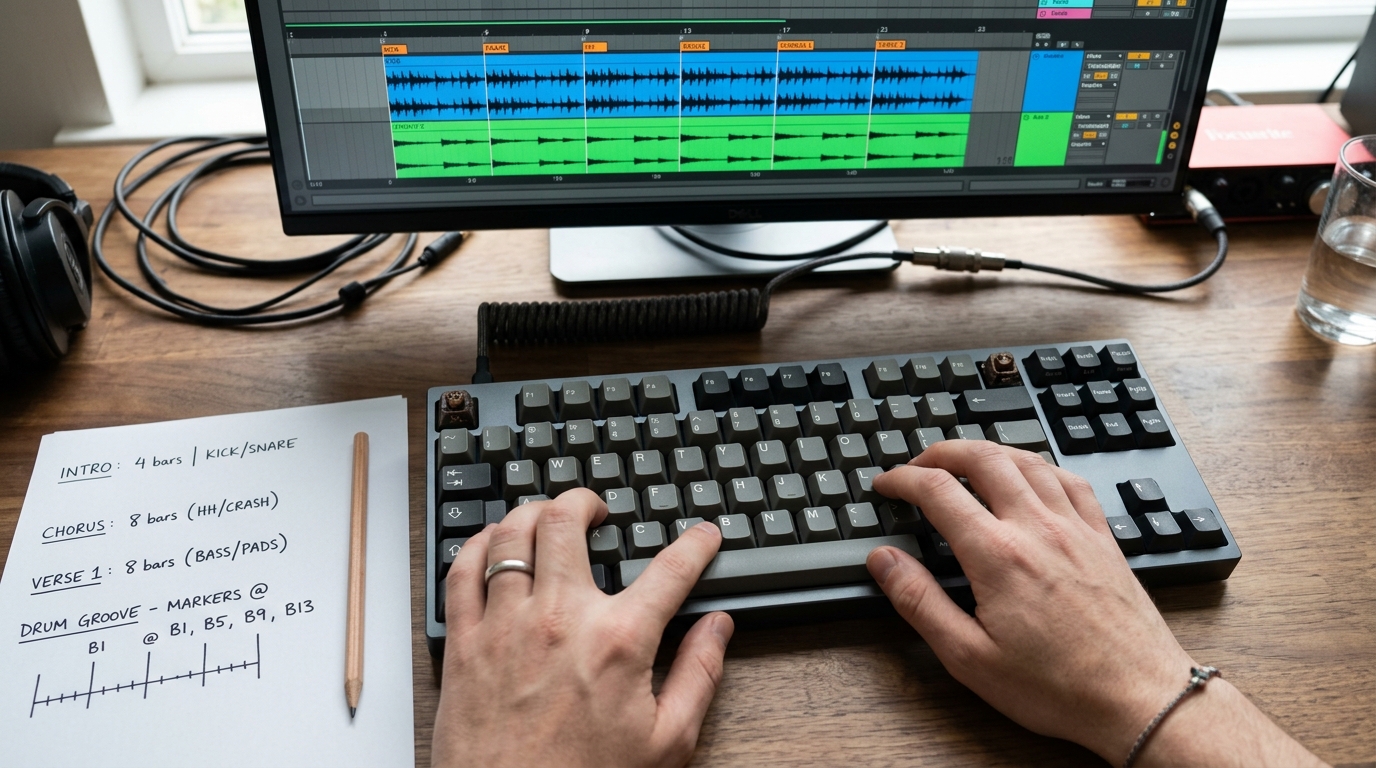
Once you have your track, open your audio editor or DAW and drop markers on every significant event: downbeats, phrase starts, drops, melodic peaks, moments of silence. Export or note the timecode of each marker. In your video editor, import the track and lay in the same markers on the audio track. Your edit decisions now have fixed anchor points.
```
Beat map example (timecodes approximate to your track):
00:00 — track starts, sparse instrumentation, slow visual pace
00:08 — first melodic phrase: cut to establishing shot on this beat
00:16 — phrase end, small pause in music: hold on a face or detail
00:22 — second phrase enters: cut to closer shot, match energy shift
00:38 — pre-chorus build begins: start shortening shot durations
00:52 — chorus drop: hardest cut of the scene, widest or most dynamic shot
01:22 — chorus ends, music pulls back: slow the cut rate, let a shot breathe
```
You are not obliged to cut on every beat. Cutting slightly before a beat, then letting the impact of the cut register as the beat lands, is often stronger than cutting exactly on the downbeat. Cutting slightly after a beat creates a dragging, melancholic feel. Both are tools. What you are avoiding is cutting randomly, with no relationship to the music at all.
Match phrase length to shot duration, not to what generated
Generative video clips rarely come out at the exact duration you need. Most current tools produce clips in rough multiples of a few seconds, and the internal motion within a clip has its own rhythm that may or may not align with your track. Your job in the edit is to find the moment within a clip that can serve as a cut point, and to use that moment relative to your beat map.
If a clip is slightly too long, find a frame where motion pauses, a blink, a shift in weight, a moment where the camera is effectively still, and cut there. If a clip is too short, a short dissolve or a hold on the final frame can bridge to the next beat without feeling like a mistake, provided the music supports it. A sustained note or a fade tolerates a held frame. A sharp rhythmic hit does not.
Where your generated footage has a flicker or an artefact mid-clip, check whether that moment falls on a beat. If it does, cut there and hide the flaw in the edit transition. If the artefact falls on a held section of the music, you will need to regenerate: a held note draws the eye to whatever is moving or breaking in frame, and there is nowhere to hide.
Commission or select music that has space in it
The single most practical thing you can do for your AI film's sound is to avoid dense, constant-energy music. A track that never breathes gives you no editorial room. You cannot use a held frame, a slow dissolve, or a reaction shot because the music is always pushing forward. Choose or commission tracks with genuine dynamic variation: sections that thin out, pauses, moments where a single instrument carries the melody. These gaps are where AI footage, with its occasional odd timing, can sit without sounding misaligned.
If you are working with a composer or using a library tool with stems, ask for a version with the rhythmic elements removed from at least one section. Melody over sparse accompaniment is far more forgiving to edit to than full-band production.
The next thing to try: take a sequence you have already cut, strip the music out entirely, and watch it in silence. Every cut that feels unmotivated in silence is a cut that is leaning on music to do its work. Fix those cuts first, then put the music back. The sequence will hold together either way, and when the music lands, it will feel earned.