Seedance 2.5 in 4K is live on Higgsfield with up to 60% off, and here is what to test before you pay
Higgsfield is pushing Seedance 2.5 in 4K with up to 60% off premium plans. Its own demos aim at skin, text, texture and crop-ins. Here is how to test whether the detail holds on your shots.
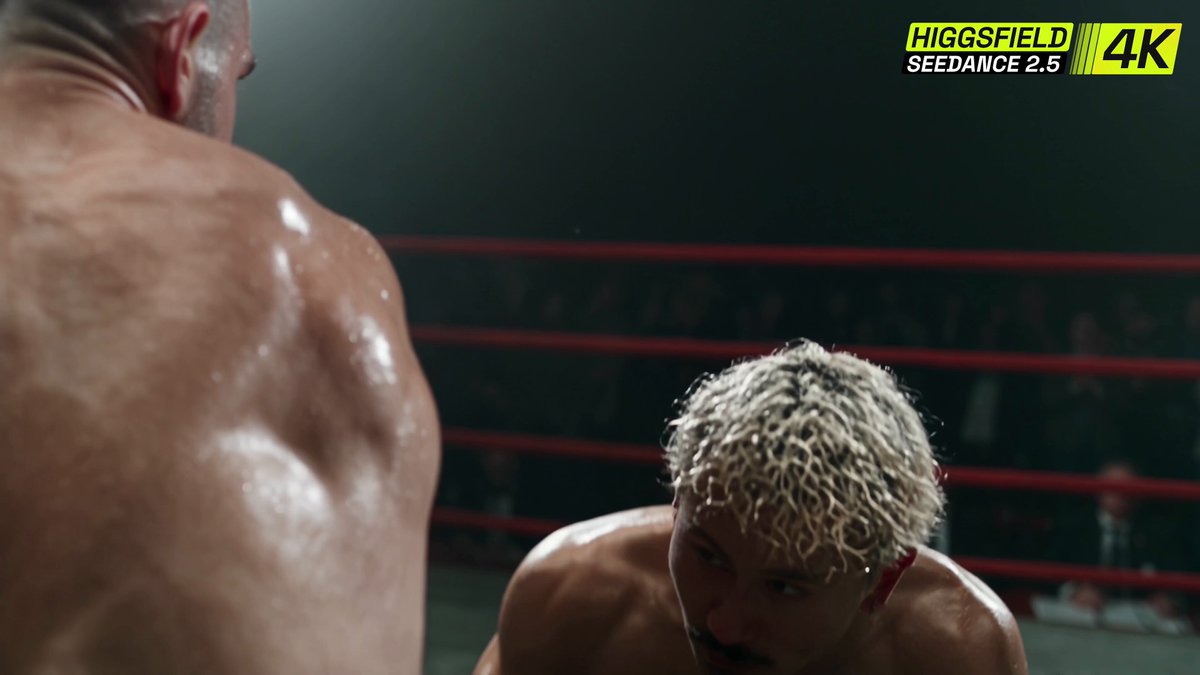
Higgsfield has put Seedance 2.5 in 4K on its platform, and it spent two days posting clips designed to make one point. The detail survives. Skin and sweat in a fight scene. Small text on a phone screen. The grain of leather, the stitching, the light on metal. Premium plans are up to 60% off while it does so.
That is a pointed pitch, because detail is where AI video has usually let working filmmakers down. Wide shots look fine at 1080p. The trouble starts when you crop in, when a face moves fast, or when a prop has writing on it. Higgsfield's crop-in demo asks the question directly: a wide shot is one thing, so what happens when you push in? If the answer holds, a single 4K generation becomes a wide and a close-up in the edit.
What Higgsfield actually showed
The official account posted sixteen or so clips across 12 and 13 November, each aimed at a different failure point. The fight close-up targets skin, sweat and facial movement under heavy action. The phone clip claims small on-screen text stays legible. Another claims fine textures and thin lines stay defined in motion, and one covers depth of field with soft background blur on close-ups.
There is also a VFX clip with destruction and physics, an underwater clip claiming detail in the shadows, a water photorealism clip, and a chase scene shown across three formats. That last one matters for anyone delivering vertical and horizontal from one concept.
What was not said
These are the vendor's own selected clips. They are a pitch, not a benchmark, and none of the posts show a failed generation or the prompt behind a result.
The posts give no price per second at 4K, and no credit cost compared with 1080p. They state no clip length limit at 4K and no generation time. The discount is described only as up to 60% off premium plans, with no end date and no word on which plans get the full cut. Check the plan page before you commit, because up to 60% is a ceiling, not a promise.
Nor is it clear whether the 4K is native generation or an upscale of a lower-resolution render. The posts say generated in 4K, but they do not say how. Treat that as an open question until you inspect your own files.
How this sits against the alternatives
Seedance 2.5 in 4K is not exclusive to Higgsfield. It is already running on Pika, and Seedance 2.5 Flash is on Runway and CapCut at a far lower price per second. So the real choice is not whether you can get 4K Seedance. It is which platform gives the best cost per usable second, and which gives you the workflow around it. Higgsfield's pull is the discount and its tooling. Its weakness for now is that none of the posts give you the numbers to compare.
There is also a caution from the community. One creator argued that Seedance 2.0 is still better at animation than 2.5. That is one opinion, not a test, but it is a reminder not to assume the newer model wins on every style.
What to test first
Spend your first credits on the things the demos imply but do not prove.
1. Crop-in test. Generate one wide shot with a face, then crop to 50% in your editor. Check skin and eyes for smearing.
2. Text test. Put a phone, sign or book cover in frame and see whether the writing stays stable across the whole clip, not just the first second.
3. Fast motion. Run a fight or chase and step through frame by frame. Look for limb warping and texture crawl on thin lines.
4. Style check. If you work in animation, run the same prompt on 2.0 and 2.5 and compare.
5. Cost per usable second. Count the rejected takes. That is your real price.
If the crop-in and text tests pass, 4K genuinely changes how you cover a scene. If they fail, the discount is just a cheaper way to generate softer footage.