Higgsfield's GPT-6 Astra plugin now handles the entire VFX pipeline inside ChatGPT, from camera solve to finished composite
Higgsfield's ChatGPT plugin has expanded well beyond After Effects automation. A cluster of official demos shows GPT-6 Astra now directing Blender camera solves, cloth simulation in Marvelous Designer, parallax compositing, Photoshop animation and Adobe Illustrator vector assembly, all from a single conversational prompt inside ChatGPT.
Higgsfield has been releasing a steady stream of demos over the past two days, and the cumulative picture is more significant than any single clip suggests. The company's ChatGPT plugin, which routes GPT-6 Astra into professional creative applications, has now been shown directing a full live-action VFX shot, building animated 3D garments from scratch, generating parallax composites with time-of-day transitions, running Photoshop animation workflows, and converting reference imagery into thousands of editable Illustrator paths. The headline from the team's own post is pointed: "this is like Cursor but for motion designers." That is a fair comparison. What Cursor did for code, this plugin is attempting to do for the motion graphics stack.
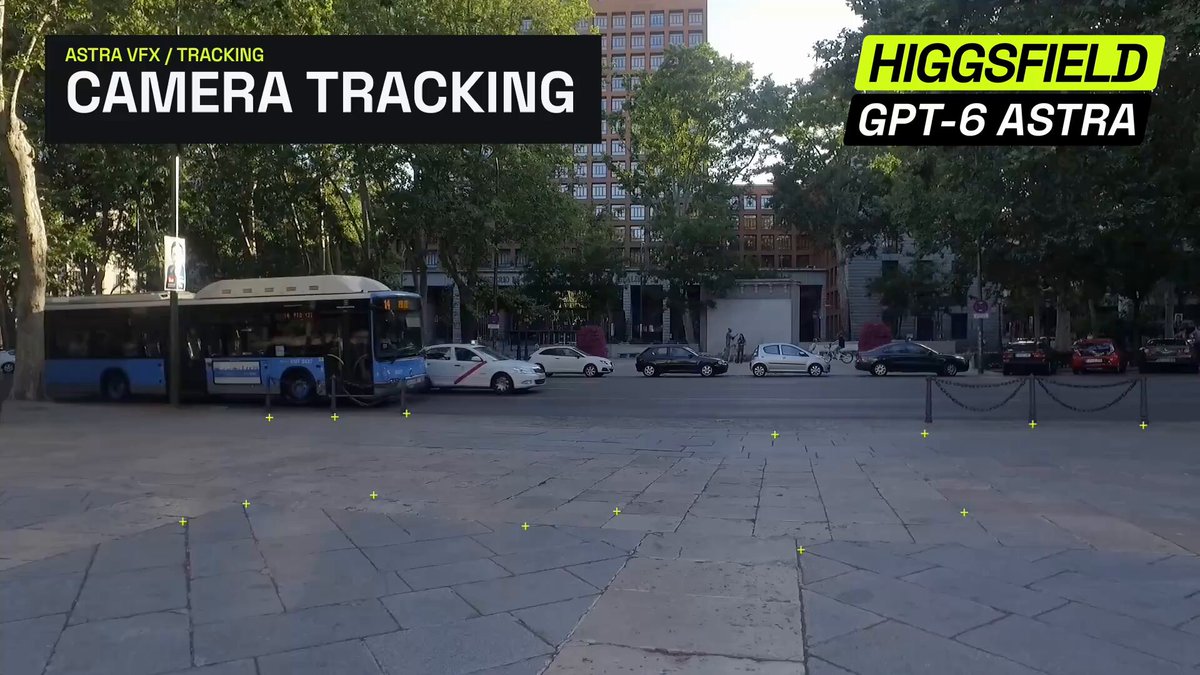
The VFX demo is the one to watch first. @higgsfield_ai showed GPT-6 Astra taking street footage and a 3D robot model and sequencing the full compositing pipeline: camera solve, CG lighting and render, grain and blur matching, final comp. Each step was issued as a natural-language instruction inside ChatGPT, with Astra executing across Blender and After Effects. The output is a finished VFX shot, not a preview or a concept. If that pipeline holds up on non-showcase footage, it removes one of the most time-consuming hand-offs in a small studio's workflow: the constant switching between applications while retaining context about what the previous step produced.
What else the plugin can do
The parallax demo is the most immediately accessible for working motion designers. Typing `@Higgsfield /use-after-effects` inside ChatGPT and describing a scene triggers the plugin to build the 3D layers, move the camera and handle a sunset-to-night transition, all inside After Effects. A separate post flagged something that matters beyond the visual result: the plugin retains context between steps inside AE, which Higgsfield describes as a first for AI in After Effects. That claim is unverified by an independent benchmark, but the underlying capability, persistent session state across an agentic workflow, is architecturally important if it works as shown.
The fashion demo reaches further into the production pipeline. Astra generated reference images for a garment, built sewing patterns inside Marvelous Designer, ran the cloth simulation and exported the animated result to Blender, all from a conversational description. The Illustrator demo sits at the other end of the speed spectrum: seven to thirteen minutes per illustration to convert reference imagery into layered files with thousands of editable paths. That is slower than direct generation, but the output is structured vector data, not a rasterised frame, which is a different class of asset for anyone feeding work into print or motion.
What was not said
No pricing was announced for any of these plugin capabilities beyond what is already available through the existing ChatGPT plugin infrastructure. Higgsfield has not published benchmark comparisons against manual workflows for the VFX pipeline, and the demos use curated source material. How the camera solve performs on challenging footage, handheld material with lens distortion or fast motion, is unknown. The cloth simulation demo shows a plausible but stylised garment; whether Marvelous Designer is being driven with production-grade constraints or simplified settings is not clear from the clip.
The Photoshop animation demo is the least detailed of the batch: the post says "GPT-6 Astra + Photoshop" and shows a result, but does not describe the steps Astra is directing. That is worth noting before anyone builds a client expectation around it.
What to test first
For AI filmmakers, the VFX pipeline demo is the obvious starting point, specifically on a shot where you already know the correct answer: footage you have already composited by hand, so you can measure where Astra's camera solve and grain matching diverge from your own work. The parallax demo is lower stakes and faster to validate; a single `/use-after-effects` prompt with a two-layer scene will tell you within minutes whether the context retention claim holds up in practice. The Illustrator vector assembly is most useful if your pipeline involves character turnaround sheets that need to be animated later, since editable paths are a prerequisite for most rigging approaches.
The broader shift being demonstrated here is agentic direction of a multi-application stack from a single conversation thread. The alternative today is either a human producer manually sequencing each application, or a custom Python script brittle enough to break on any version update. A conversational layer that maintains state across Blender, After Effects and Marvelous Designer in sequence is a different kind of tool, and two days of official demos from @higgsfield_ai suggest the team is moving fast to show its range.