Higgsfield has shown Claude building a 3D film in Blender and renting its own GPUs, and the full workflow is free to copy
Higgsfield published two complete Claude Fable 5.2 builds, a 25,800-flower street and a 184-part mech, with GPU times, credit costs and the prompts. Here is what to test first.
A street fills with 25,800 flowers in 40 seconds. Bare stone, then sprouts, then buds, then open blooms, all in one wide shot. Higgsfield says Claude Fable 5.2 grew them in Houdini and then rendered the whole film on eight rented GPUs in about 90 minutes.
That is the headline, but the second build is the one to look at. @higgsfield_ai says Fable 5.2 modelled a mech from 184 separate parts, entirely in Blender, then rented a GPU and rendered the walk cycle. Fourteen minutes. Seventeen credits. Both builds came with the prompts, which is the part that matters if you want to try this yourself.
How the flower street works
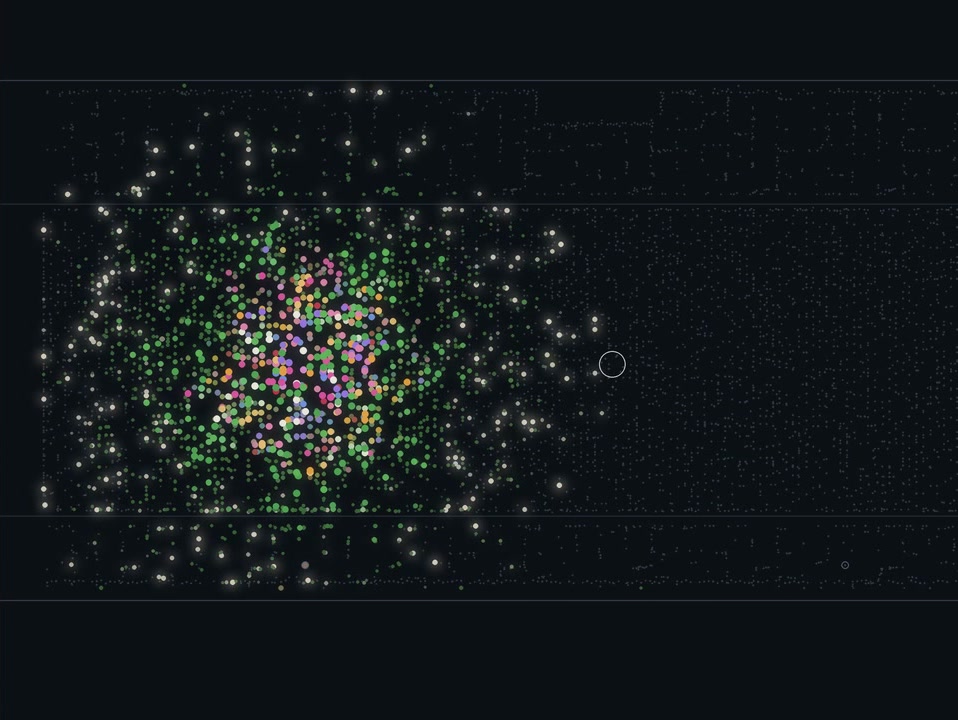
The trick is a refusal to brute force. Higgsfield says it did not simulate 25,800 plants frame by frame. Each species is baked once as 96 growth stages. Every planting site then stores only a clock: when it sprouts and how long it takes to bloom.
The delays are scattered. Growth starts from one sprout, spreads as a ring and runs down the street, so a single wide shot holds every stage at once. Each solver ran in 26 to 84 seconds on a Mac.
There is also a useful habit here. A checker script timed each plant from 10 per cent to 90 per cent of its height. The first growth took 32 to 40 frames and looked abrupt. Large flowers now take 115 to 124 frames. Having the model measure what the eye sees, instead of trusting a glance, is a lesson that carries to any procedural shot.
The render run, in numbers
Higgsfield lists the run as eight RTX PRO 6000 GPUs on Higgsfield GPU Harness, 1,340 frames at 1920 by 1080, about 90 minutes across two boxes side by side, and 1,099.50 credits for the render. The boxes started in 40 to 60 seconds. A 170-frame shot took 13 to 14 minutes on four GPUs.
The flow is simple. Claude, Blender connected to Claude, and Higgsfield MCP. Type /gpu in the same chat and Claude rents two boxes with four GPUs each, sends the project over and runs one Blender process per GPU. The same chat builds the model, rents the GPU and renders.
What this changes for a working filmmaker
The real shift is the order of work. Higgsfield says Claude built the street, the light and eight camera moves from scripts, then rendered a 640 by 360 preview of the whole cut on the Mac. You approve the preview, and only then does the GPU run happen. Lock the camera before you rent anything. That is sound advice whatever tool you use.
Fixes look cheap too. Shot 6 came back with a beige rose instead of a pink one. Higgsfield says the colour was corrected and all 140 frames came back in about 10 minutes, while the other shots kept rendering. The grade and the cut ran on the Mac with no GPU time, followed by a check script that fails the file on clipped highlights, black or duplicated frames, or a hard cut where a dissolve should be.
Compared with a generative video model, this is a different bargain. You get repeatable geometry, fixed cameras and a shot you can re-render with one change. You give up the instant, unplanned look of a diffusion clip. For product shots, title sequences and stylised worlds that must match from shot to shot, that trade may well suit you.
What was not said
There is no dollar figure for a credit in these posts, so the real cost of 1,099.50 credits is unknown. Higgsfield also mixes the workflow with Black Friday GPU discounts of up to 63 or 64 per cent, so treat any price you see this week as a promotion. The posts do not say how much human correction the mech needed beyond the stated steps, and a polished showcase is not a benchmark. Nothing here says it works for characters with complex facial animation.
What to test first
Higgsfield's own checklist is the best start. Begin with the cockpit and one leg, and run the walk test before adding detail. Ask for the price before Claude rents a GPU. Render one test frame before the full run. For the mech, build around the pilot first, with a scale figure in the seat, every part as its own object and a new numbered file after each stage.
If you already work in Blender, try a single 10-second shot with a low-resolution preview and one rented GPU. Log the credits. That one number tells you whether this fits your budget.
Source: Higgsfield's flower street announcement, the baking and clock method, the render run specs, the /gpu command walkthrough, the preview-first camera lock, the mech build announcement and the pre-build checklist.