fal's new ChatGPT plugin lets you go from keyframes to a 26-shot video without leaving the chat
fal has shown a full image-to-video pipeline running inside ChatGPT, from GPT Image 2.6 keyframes to 26 animated shots in FLUX 3 Max. Here is what it changes and what to test first.
fal has put image and video generation inside ChatGPT, and it has published a proper production run to prove it. One conversation. Concept exploration, keyframe selection, and 26 animated shots with consistent characters and environments.
That is the part worth your attention. Plenty of plugins promise a pipeline. This one comes with a worked example, and the example looks like how a small team would actually build a short film. According to @fal, the plugin brings image and video generation into your conversations, so you can generate, edit and iterate with GPT Image 2.6, FLUX 3 Max and other models without leaving ChatGPT.
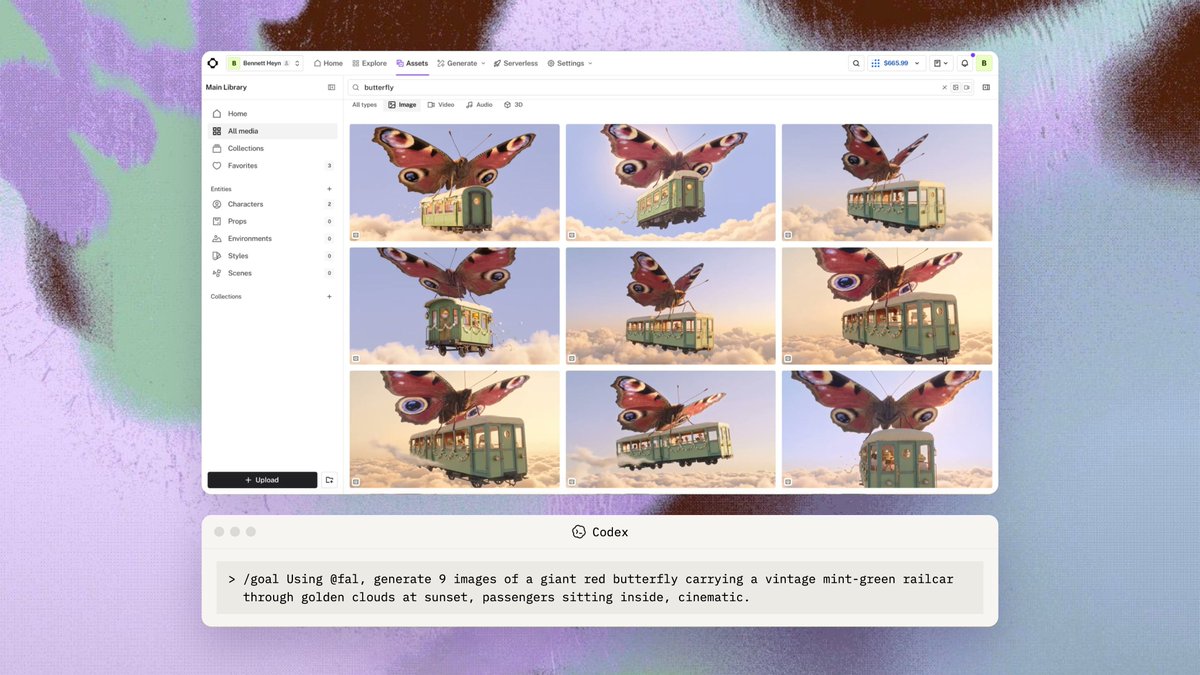
The workflow fal showed
The demo runs in three steps. First, fal used GPT Image 2.6 to explore different compositions and perspectives of the same scene. It generated multiple variations, compared them, and picked the strongest keyframes to take into production (the keyframe step).
Second, with keyframes locked, fal used FLUX 3 Max through the plugin to turn the static images into video. The team animated 26 shots while keeping characters, environments and scenes visually consistent (the animation step).
Third, fal used existing footage to generate entirely new scenes. In the example, two characters from the original video were placed on a floating couch while visual consistency was maintained (the new-scene step).
That order matters. Choosing the frame before spending video credits is how careful people already work. The plugin simply keeps the whole loop in one place.
What it changes in practice
The real saving is context. When ideation, selection and animation share one conversation, you stop exporting, renaming and re-uploading references between tabs. You can also ask for a change in plain language and regenerate from the same thread.
Against the current alternative, which is usually an image tool, a separate video tool and a folder of loose files, this is tidier. For previs, pitch decks and quick concept films, tidier is a real gain.
The floating couch example is the other useful signal. Placing existing characters into a new scene is the continuity problem every AI filmmaker fights. fal says it worked here. Treat that as a claim to test, not a settled fact.
What was not said
fal has not published pricing in these posts. There is no stated per-shot cost, no clip length, no resolution, and no word on usage limits. The 26-shot figure is a count of shots, not a runtime, so we do not know how long the finished piece is.
There is also no side-by-side against other video models, and one showcase is an anecdote, not a benchmark. Consistency across 26 shots is impressive on paper. We have only fal's own cut to judge it by.
Availability is unclear too. The posts point to install links and to Text to Image, Edit and Layerize endpoints, but do not say which ChatGPT plans or regions can use the plugin.
What to test first
Run a small version of fal's own recipe before committing a real project to it.
1. Pick one scene and generate several compositions with GPT Image 2.6. Choose keyframes the way you would choose a storyboard frame.
2. Animate five or six shots, not 26. Check whether faces, costume and set details hold from shot to shot.
3. Try the new-scene trick. Take two characters from a shot you already like and place them somewhere impossible. This is where consistency usually breaks.
4. Note the cost per shot and the time per revision. Without published pricing, your own numbers are the only ones that count.
If the consistency holds under your material, this becomes a genuinely fast previs and short-form pipeline. If it does not, you have lost an afternoon and learned where the limits are.
Source: fal announcing the ChatGPT plugin, the keyframe step, the 26-shot animation step, the floating couch new-scene demo, the try-it-now links.