One creator gave Claude a raw 30-second Seedance 2.5 clip and got back a finished motion graphics short built entirely with code
Creator @aimikoda handed Claude a single unedited Seedance 2.5 clip and one prompt, and received kinetic typography, a game HUD, comic SFX, a character card and an original soundtrack, with no editing software involved.
A raw clip goes in. A finished, branded, scored short comes out. No timeline, no plug-ins, no editor.
That is what creator @aimikoda says happened when they gave Claude a single 30-second Seedance 2.5 clip and one prompt. Back came kinetic typography, a game-style HUD, comic sound effects, a freeze-frame character card, slow-motion and an original soundtrack. All of it, per the creator, built with code. The character is a skater called Juno, and the result is a post that should make anyone who has spent a weekend in a motion graphics package sit up.
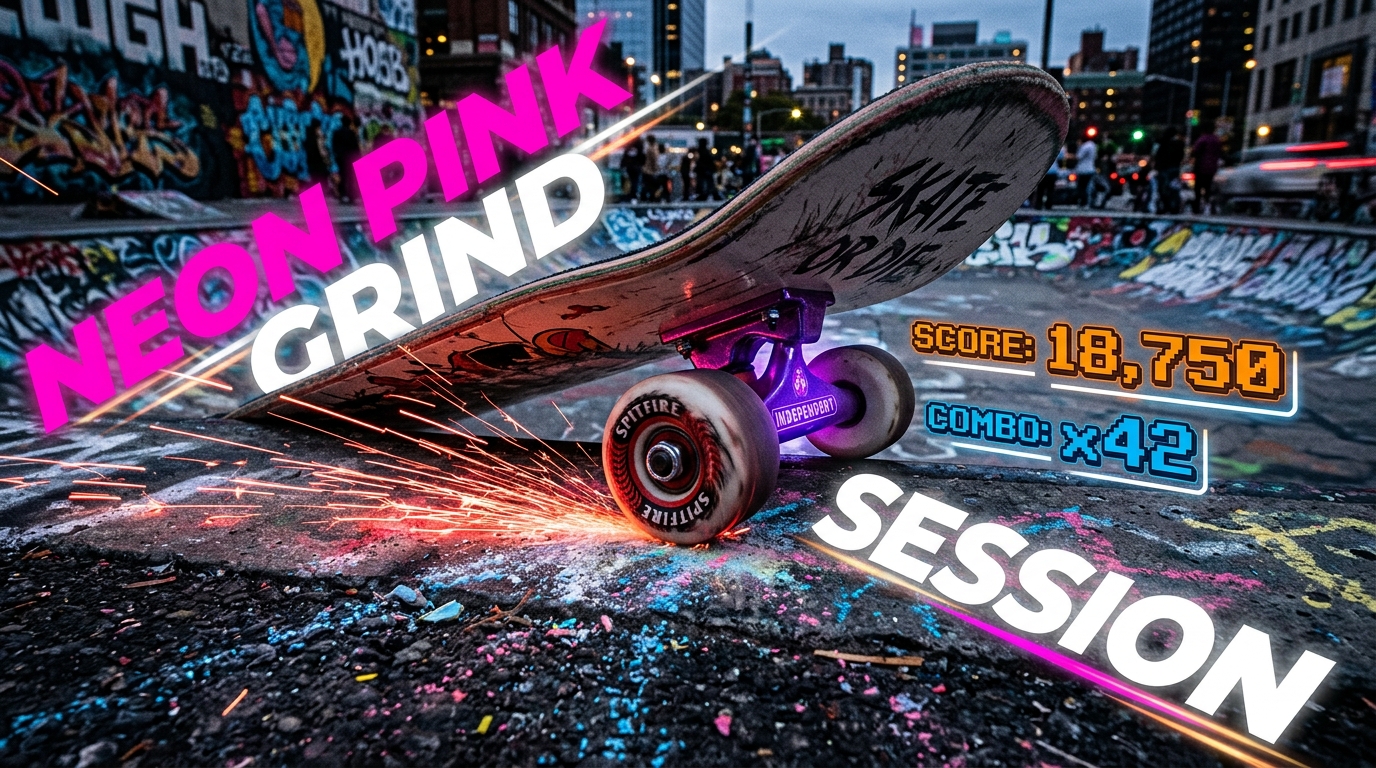
The interesting part is not that the clip looks good. It is where the work happened. Seedance made the footage. Claude made everything around it. The finishing layer, which normally eats hours, was written rather than assembled. The creator says the prompts are posted below the clip, which makes this a reproducible recipe and not a mood piece.
What this changes in a real workflow
Most AI video pipelines still end the same way. You generate, you pick a take, then you open a traditional editor and bolt on titles, overlays and sound. That last mile is where the personality of a piece lives, and it is also where solo filmmakers lose the most time.
This post suggests a different handoff. Generate one strong clip, then treat the clip as source material for a code-driven finishing pass. Titles, HUD elements and freeze-frame cards become things you describe and regenerate, not things you keyframe. If the first pass is wrong, you change a sentence and run it again.
It also sits neatly beside the current alternative. Plugging a language model into a motion design tool is already a thing, and we covered one such route this month. The difference here is the absence of any host application. The creator is explicit that no editing software was used. That is a bolder claim, and a more fragile one.
What was not said
The post gives no render time. It does not say which Claude model was used, how many attempts the result took, or how much hand-correction happened between prompt and final export. One clip, one success, is an anecdote and not a benchmark.
There is no output resolution, frame rate or file format stated. We do not know whether the soundtrack is generated audio, synthesised in code or assembled from parts. We also do not know how the code handled timing against the footage, which is the part most likely to break on a clip with fast action.
No pricing is given for the Seedance generation or the Claude usage, and no date or availability note applies, since this is a creator workflow and not a product launch. Nothing here has been independently reproduced that we can see.
What to test first
Start small. Take a 10 to 15 second Seedance clip you already like and ask for one layer only, such as a lower-third and a freeze-frame card. If timing lands, add a HUD. Then add sound. Stacking layers one at a time will show you where the code approach stops being reliable.
Check sync first. Slow-motion and freeze-frames depend on exact frame positions, so test them on a clip with a clear action beat. Check legibility second. Kinetic type over busy footage can go unreadable fast, and a code-built overlay will not judge that for you.
Keep your raw clip untouched and keep every prompt. The value of this method is repeatability, so version your instructions the way you would version a project file.
The practical read
If you make short-form content, ads or social cut-downs, the finishing layer is the repeatable part of your job, and repeatable work is what code is good at. Try this on your next piece before you commit to a full edit. The prompts are in the original thread, so you can run the same experiment today and judge it on your own footage.